
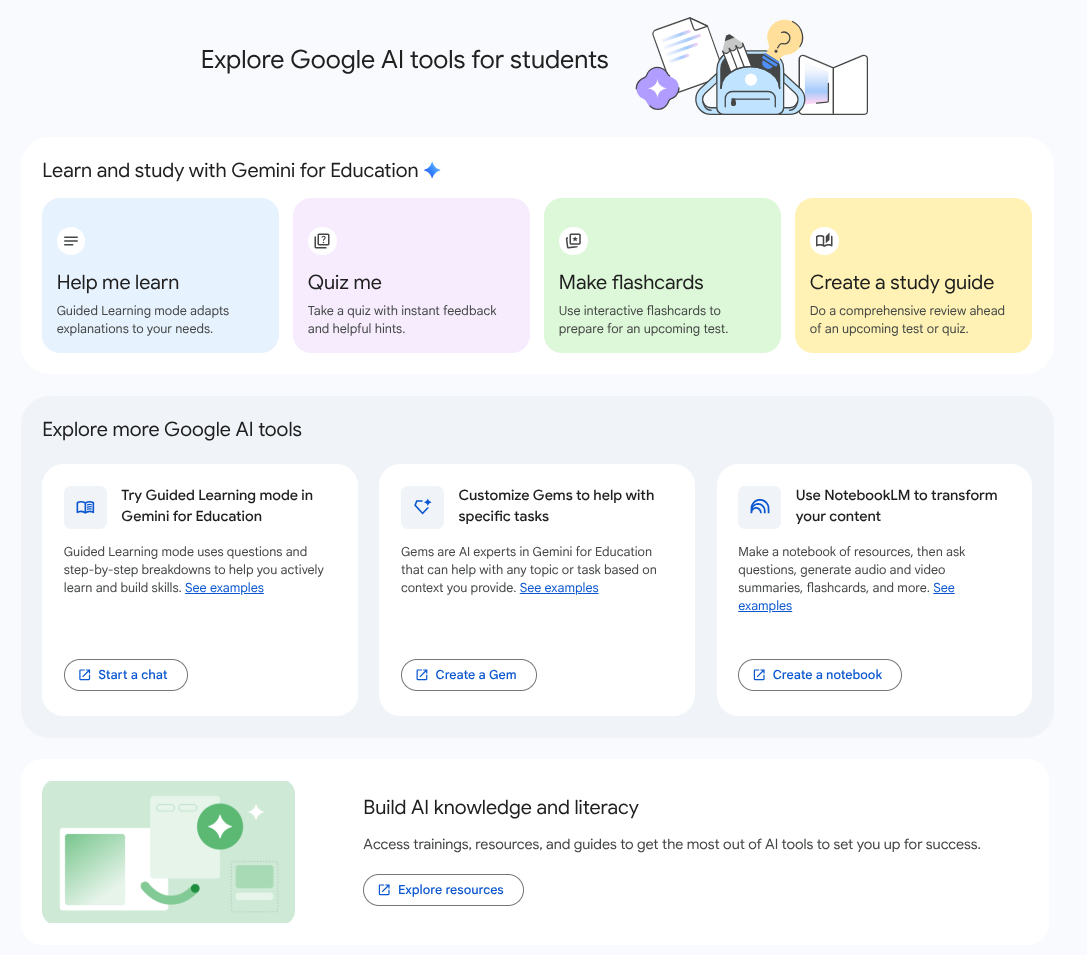
Last year, we launched Gemini in Google Classroom in English to support educators with planning and creating engaging lessons, and to help students in higher education to study and learn. Starting this week, we’re beginning to expand availability to all Classroom-supported languages in which Gemini is also available. This expansion makes Gemini tools in Classroom increasingly accessible to educators and higher education students whose preferred language is now supported.
In the Gemini tab in Classroom, educators can get help creating and adapting resources, based on learning objectives, starting with the following features:
- Outline a lesson plan
- Generate a quiz
- Write an informational text
- Tackle common misconceptions
- Translate text
More content generation features will become available in these languages in the coming weeks.
Educators can also collaborate with Gemini using starter prompts for the Gemini app that help with common tasks like:
- Brainstorming real world examples
- Gamifying an activity
- Generating differentiation strategies
- Drafting an exemplar and non-exemplar
- Creating Depth of Knowledge (DOK) questions
Higher education students using the Gemini tab can:
- Learn about a topic: Get personalized and step-by-step explanations with Guided Learning.
- Take a quiz: Prepare for upcoming exams by testing your knowledge and getting hints and feedback.
- Make flashcards: Turn class materials into custom flashcards for extra practice.
- Create a study guide: Make a study guide about a certain topic, or upload class materials for more personalized resources.

Getting started
- Admins:
- Gemini in Classroom: As an administrator of your organization’s Google Accounts, you can control who is allowed to use Gemini in Google Classroom to generate content and resources. Access to Gemini in Google Classroom is ON by default. These capabilities are only available to users who are designated as 18 years of age and over in your institution’s age-based access settings. Visit the Help Center to learn about managing access to Gemini in Classroom and the option to turn the service on or off for users in your Admin console.
- Gemini app: Educators and students can access Gemini starter prompts in the Gemini tab in Classroom, and they will open in the Gemini app. Users’ ability to access these starter prompts and continue chats in the Gemini app is controlled by the Gemini app setting. Visit the Help Center to learn how to Turn the Gemini app on or off for users.
- Note: Ensure roles in Classroom are appropriately assigned to users. Learn more about teacher and student roles here.
- End users:
- Visit the Help Center to learn more about Gemini in Classroom and feel free to take this course to learn more about generative AI for Educators.
- When using generated content, you should always review the outputs as AI can make mistakes and refine the output so that it fits your context and local policies.
Rollout pace
- Rapid Release and Scheduled Release domains: Extended rollout (potentially longer than 15 days for feature visibility) starting on April 13, 2026
Availability
- Education: Education Fundamentals, Standard, and Plus
Resources
- Google Workspace Updates Blog: Gemini in Google Classroom is now available to all Google Workspace for Education editions, with added features
- Google Workspace Updates Blog: Gemini in Google Classroom is expanding to students in higher education
- Google Help: Learn about Gemini in Google Classroom
- Google Help: Google Classroom Supported Languages
- Google Help: Verify teachers and set permissions
- Google Workspace Admin Help: Manage access to Gemini in Classroom
- Google Workspace Admin Help: Control access to Google services by age
- Google Workspace Admin Help: Turn the Gemini app on or off
- Google Workspace Admin Help: Select your organization type for Google Workspace for Education